Tech in Budgets

Sale!

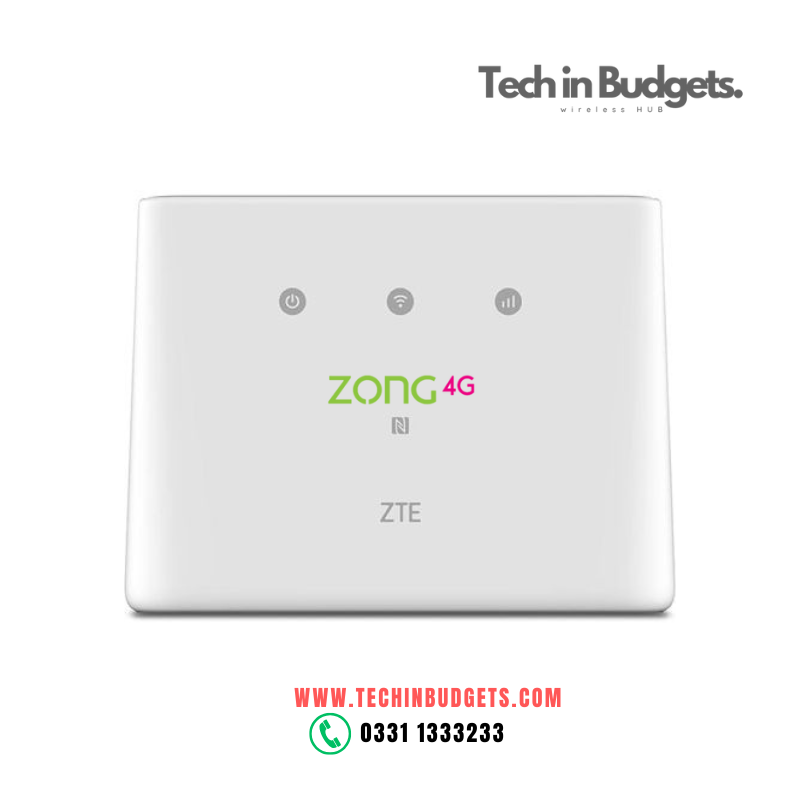
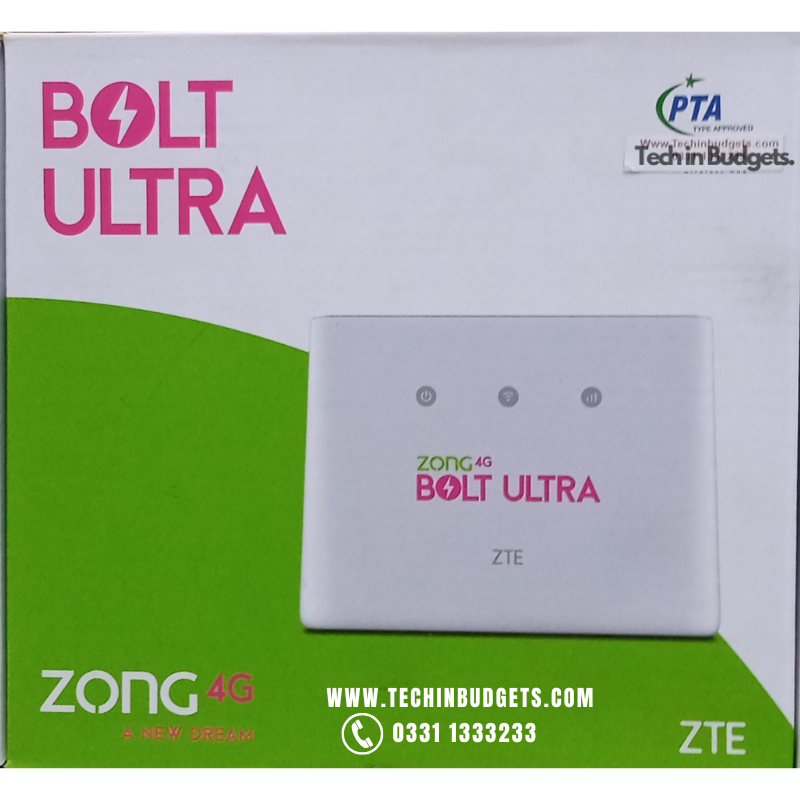
zong 4g bolt ultra mf293n unlock router

Original price was: ₨17,999.00.Current price is: ₨14,999.00.

Zong 4g Bolt Ultra MF293n Unlock Router

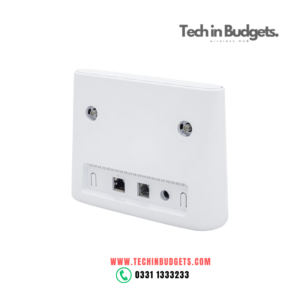
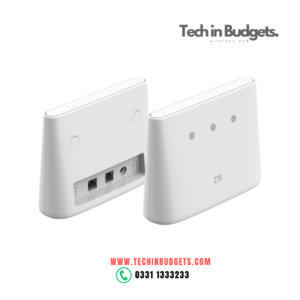
The Zong 4G Bolt Ultra MF293N is a 4G LTE Wi-Fi router that provides high-speed internet for up to 32 devices. It supports dual-band Wi-Fi (2.4 GHz and 5 GHz), making it ideal for homes, offices, or mobile use. The router comes with a SIM card slot and can be use with SIM cards from other carriers, offering flexibility for users. With external antenna ports for improved signal strength and a compact design, the MF293N delivers reliable, fast internet in areas with good 4G coverage.

Technical Specifications

  • Network Type: 4G LTE, 3G, 2G
  • Max Download Speed: Up to 150 Mbps (4G)
  • Max Download Speed: Up to 150 Mbps (4G)
  • Max Upload Speed: Up to 50 Mbps (4G)
  • Wi-Fi Standards: 802.11 b/g/n
  • Wi-Fi Frequencies: 2.4 GHz and 5 GHz
  • Maximum Devices Supported: 32
  • SIM Card Type: Micro SIM
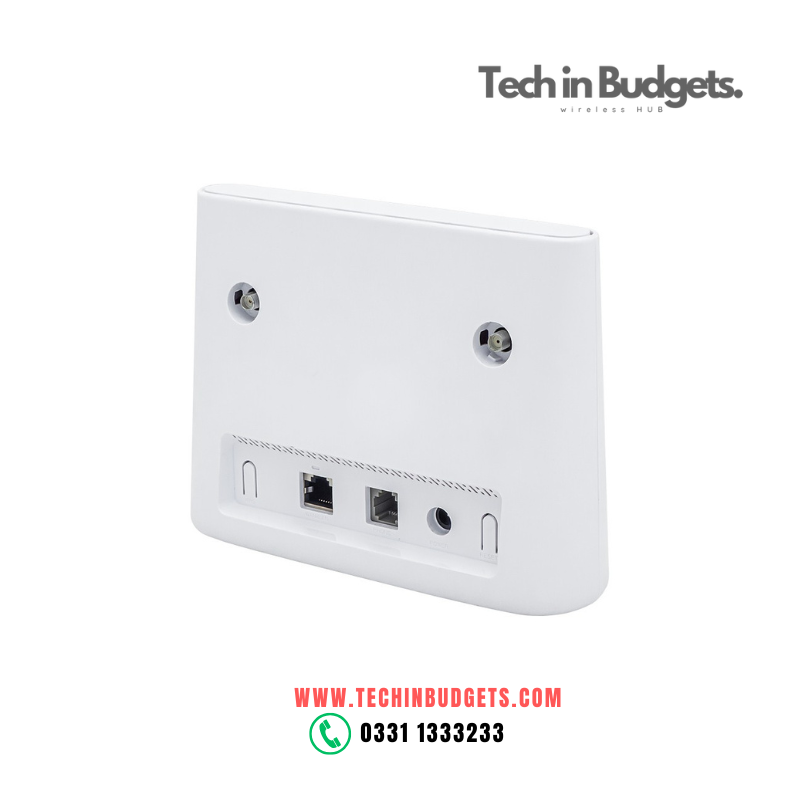
  • External Antenna Ports: Yes (for better signal reception)
  • Management Interface: Web-based (192.168.8.1)
  • Security: WPA2 Encryption, Firewall support

Description

Zong 4g Bolt Ultra MF293n Unlock Router

The Zong 4G Bolt Ultra MF293N Unlock Router is a 4G LTE WiFi router that provides high-speed internet connectivity for multiple devices. It’s used with all network . Here’s a detailed overview of the device and its features:

Key Features of Zong 4G Bolt Ultra MF293N Unlock Router

  1. 4G LTE Connectivity:
    • The Zong 4G Bolt Ultra MF293N supports 4G LTE speeds, providing fast download speeds of up to 150 Mbps and upload speeds up to 50 Mbps, depending on network coverage.
  2. Dual-Band Wi-Fi:
    • It supports both 2.4 GHz and 5 GHz Wi-Fi frequencies, ensuring stable and faster connections for various devices such as smartphones, laptops, and tablets.
  3. Supports Up to 32 Devices:
    • The router allows you to connect up to 32 devices simultaneously, making it perfect for households, small offices, or mobile setups with multiple devices.
  4. SIM Card Slot:
    • The router features a SIM card slot for 4G LTE connectivity. You can insert a SIM card from any carrier that supports 4G LTE, allowing you to access the internet without needing a fixed-line broadband connection.
  5. Portable and Compact:
    • The compact design of the router makes it easy to carry around, offering flexibility for mobile internet use. It’s perfect for travel, camping, or any scenario where reliable internet access is needed.
  6. External Antenna Ports:
    • The external antenna ports help enhance the signal reception, especially in areas with weak 4G signal coverage, ensuring a stable connection.
  7. User-Friendly Interface:
    • It features a web-based interface for easy configuration and management, allowing you to change settings like Wi-Fi passwords, check data usage, and update firmware.

The ZTE MF293N 4G LTE WiFi Router is a high-performance, portable, and compact device that allows you to connect multiple devices to the internet using a 4G LTE network. It provides fast internet speeds, making it ideal for home, office, or mobile use. Here’s a comprehensive overview of the device and its features:

How to Set Up ZTE MF293N 4G LTE Router

  1. Insert the SIM Card:
    • Insert the SIM card from your carrier into the SIM card slot of the ZTE MF293N. Ensure the SIM card is activated and has mobile data services enabled.
  2. Power On the Router:
    • Press and hold the power button to turn on the router. The device will automatically try to connect to the mobile network.
  3. Connect to Wi-Fi:
    • Once powered on, the router will broadcast a Wi-Fi network (SSID). Find the network name (usually labeled on the device) and connect to it using the Wi-Fi password (also typically found on the device’s sticker).
  4. Access Router Settings (Optional):
    • Open a web browser and enter 192.168.8.1 in the address bar to access the router’s login page.
    • Enter the default username and password (usually “admin” for both).
    • From here, you can manage the router’s settings, configure Wi-Fi options, change the password, check data usage, etc.
  5. Enjoy Internet Access:
    • After connecting to the Wi-Fi, you can now enjoy internet access on your devices. The router will distribute the 4G LTE connection to all connected devices.

Advantages of ZTE MF293N

  1. High-Speed Connectivity: With 4G LTE support, you get fast internet speeds, suitable for everyday activities like streaming, browsing, and gaming.
  2. Multiple Device Support: It supports up to 32 devices simultaneously, making it ideal for households, small offices, or gatherings.
  3. Dual-Band Wi-Fi: The router’s ability to operate on both the 2.4 GHz and 5 GHz bands ensures better coverage and higher performance, especially in environments with many devices or potential interference.
  4. Portable and Versatile: Compact design and the option to use a rechargeable battery make it a convenient option for on-the-go use.

Test the Router:

  • After unlocking, check to see if the router connects to the new carrier’s network and allows internet access.
  • You may need to manually configure APN settings for the new carrier if the internet connection is not working automatically.
zong 4g bolt ultra mf293n unlock router
Daraz Account : Click here(Techinbudgets)


Reviews

There are no reviews yet

Be the first to review “zong 4g bolt ultra mf293n unlock router”

JUARA88 FATCAI99 FATCAI99 BANDAR80 BANDAR80 TOPWD LIGABANDOT RUANGWD FATCAI99 BANDAR80 TOPANBOS88 LIGABANDOT LAPAK99 HOKIJITU JUARA88 ARENA303 TOPANBOS88 BOSJOKO LIGABANDOT BOSJOKO TOPANBOS88 HOKIJITU BANDAR80 FATCAI99 BANDAR80 FATCAI99 https://goexport.org/ FATCAI99 TOPWD WDBOS WDBOS FATCAI99 TOPWD FATCAI99 TOPWD HOKIJITU LIGABANDOT LAPAK99 HOKIJITU RUANGWD HOKIJITU JUARA88 WDBOS BANDAR80 RUANGWD FATCAI99 TOPWD LAPAK99 TOPWD HOKIJITU FATCAI99 WDBOS BOSJOKO WDBOS WATITOTO RUANGWD LAPAK99 HOKIJITU WDBOS FATCAI99 ABADIWIN BANDAR80 WDMAHJONG CITAWIN ARENA303 CITAWIN WDMAHJONG ARENA303 LAPAK99 FATCAI99 BOSJOKO LIGABANDOT DEPOBOS HOKIJITU ABADIWIN TOPWD CITAWIN LAPAK99 WDBOS ARENA303 ABADIWIN ARENA303 CITAWIN MARKASWD TOPWD ARENA303 WDMAHJONG ABADIWIN SEJATIWIN CITAWIN DEPOBOS WATITOTO BOSJOKO BANDAR80 RUANGWD LAPAK99 WDMAHJONG TOPANBOS88 TOPWD RUANGWD ARENA303 CITAWIN JUARA88 BANDAR80 LIGABANDOT LAPAK99 https://styleup.ir/ LAPAK99 WATITOTO WATITOTO HOKIJITU ARENA303 TOPANBOS88 BOSJOKO BANDAR80 DEPOBOS ARENA303 WDMAHJONG CITAWIN FATCAI99 TOPWD LIGABANDOT RUANGWD MARKASWD LIGABANDOT LAPAK99 JUARA88 TOPWD CITAWIN ABADIWIN DEPOBOS LAPAK99 BANDAR80 RUANGWD BOSJOKO TOPWD TOPANBOS88 JUARA88 MARKASWD DEPOBOS HOKBENTOTO MARKASWD WDBOS ARENA303 LAPAK99 TOPWD JUARA88 RUANGWD HOKBENTOTO MARKASWD BANDAR80 DEPOBOS HOKBENTOTO MARKASWD LAPAK99 JUARA88 RUANGWD HOKIJITU DEPOBOS WATITOTO ARENA303 DEPOBOS LAPAK99 BOSJOKO WDMAHJONG MARKASWD HOKBENTOTO LAPAK99 BOSJOKO DEPOBOS TOPANBOS88 RUANGWD LIGABANDOT HOKIJITU WDMAHJONG JUARA88 LAPAK99 JUARA88 HOKBENTOTO LAPAK99 DEPOBOS HOKBENTOTO DEPOBOS LIGABANDOT LAPAK99 DEPOBOS JUARA88 BOSJOKO DEPOBOS HOKBENTOTO LAPAK99 DEPOBOS CITAWIN ABADIWIN DEPOBOS MARKASWD BOSJOKO DEPOBOS TOPANBOS88 JUARA88 DEPOBOS HOKBENTOTO WDMAHJONG LAPAK99 LIGABANDOT BOSJOKO